HYPERBEAM
Move files between devices without them ever sitting on anyone's server. No sign-up, no app to install, no size limit.
hyperbeam.pages.dev1How to use it
Open the site on both devices, then take one role each.
↑ Sender
- Open hyperbeam.pages.dev
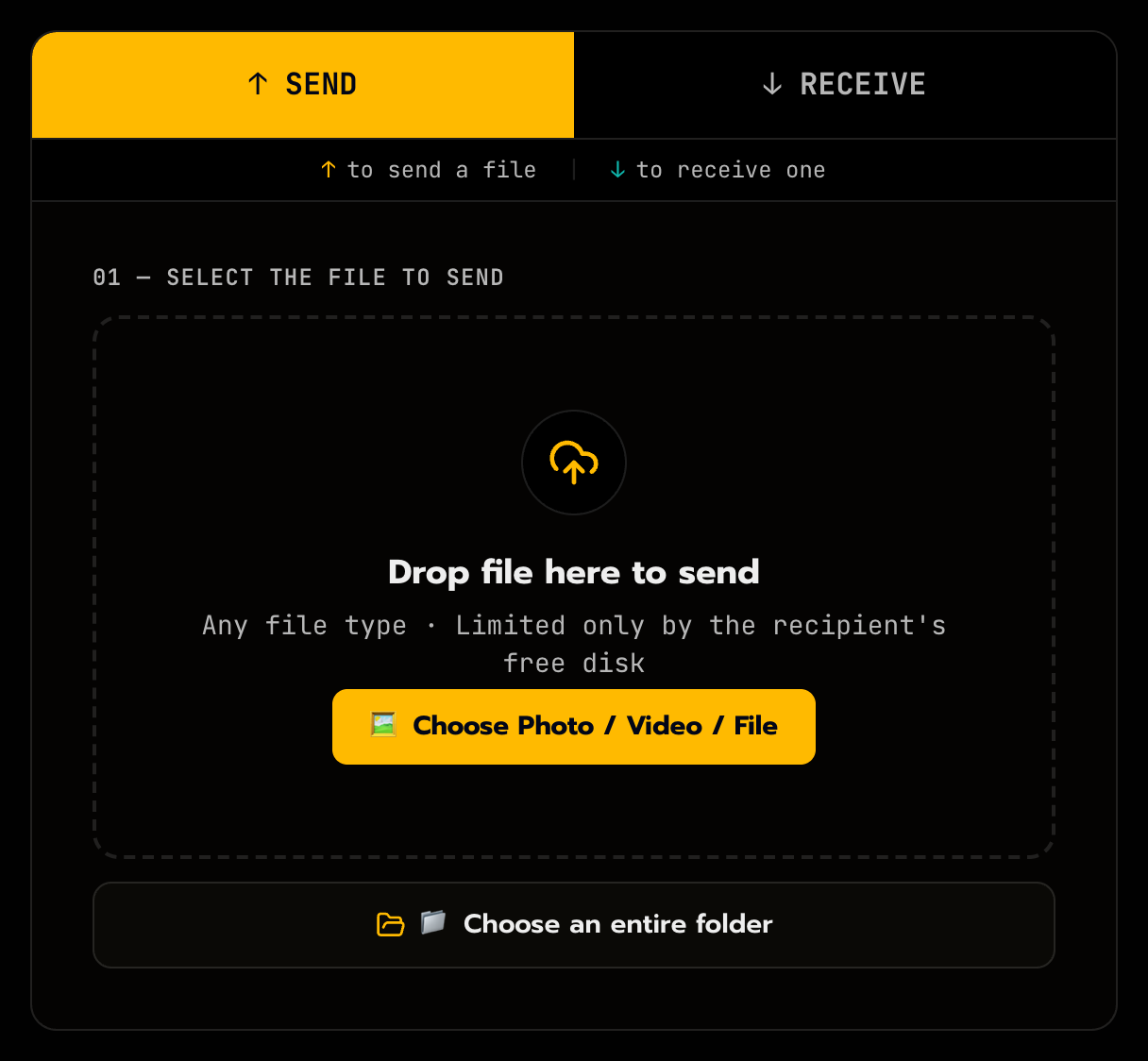
- Drop your files in, or tap the picker
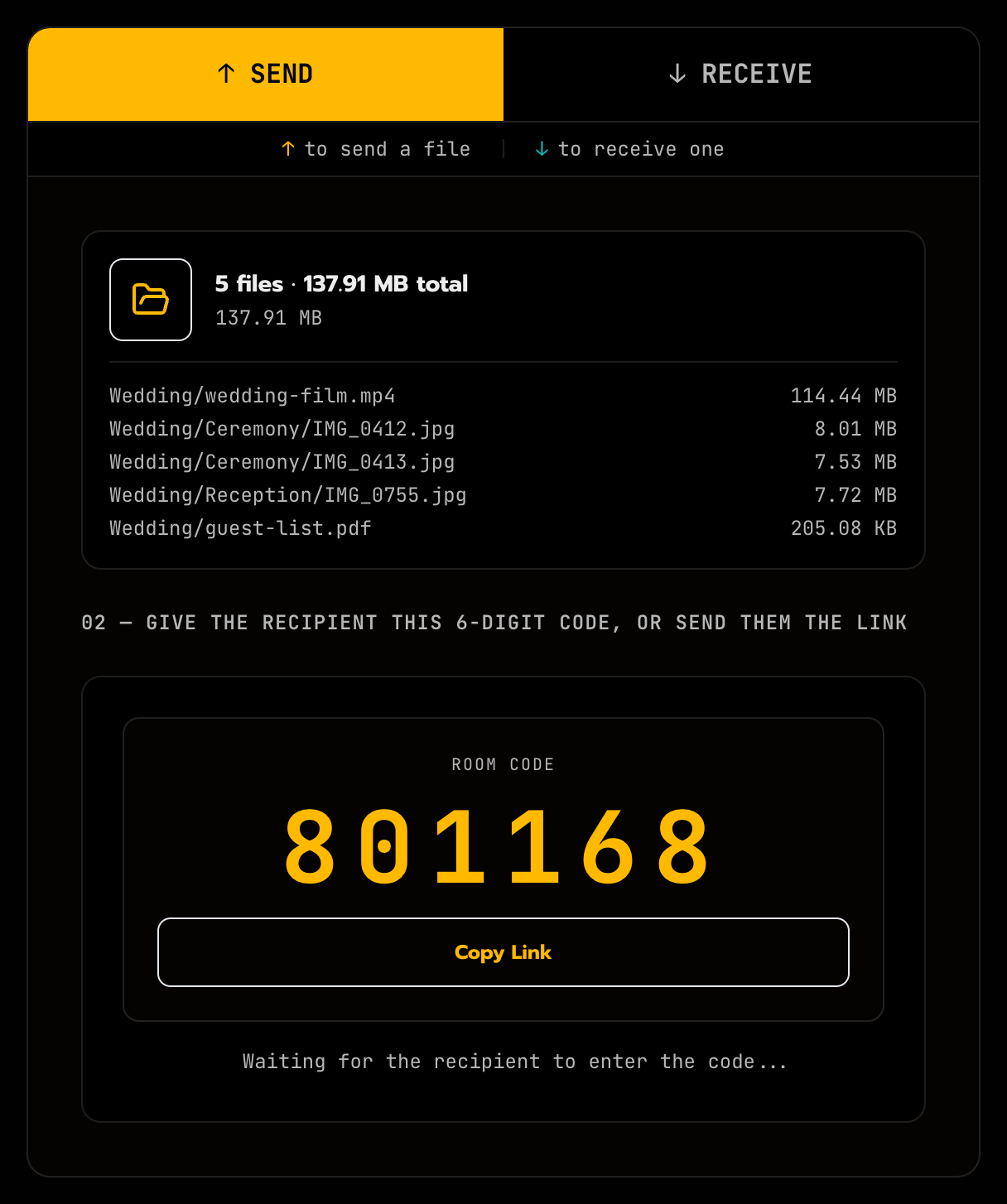
Several files, or a whole folder, both work - You get a 6-digit code — read it out to the other person
- Check the safety code matches, then send
↓ Receiver
- Open hyperbeam.pages.dev
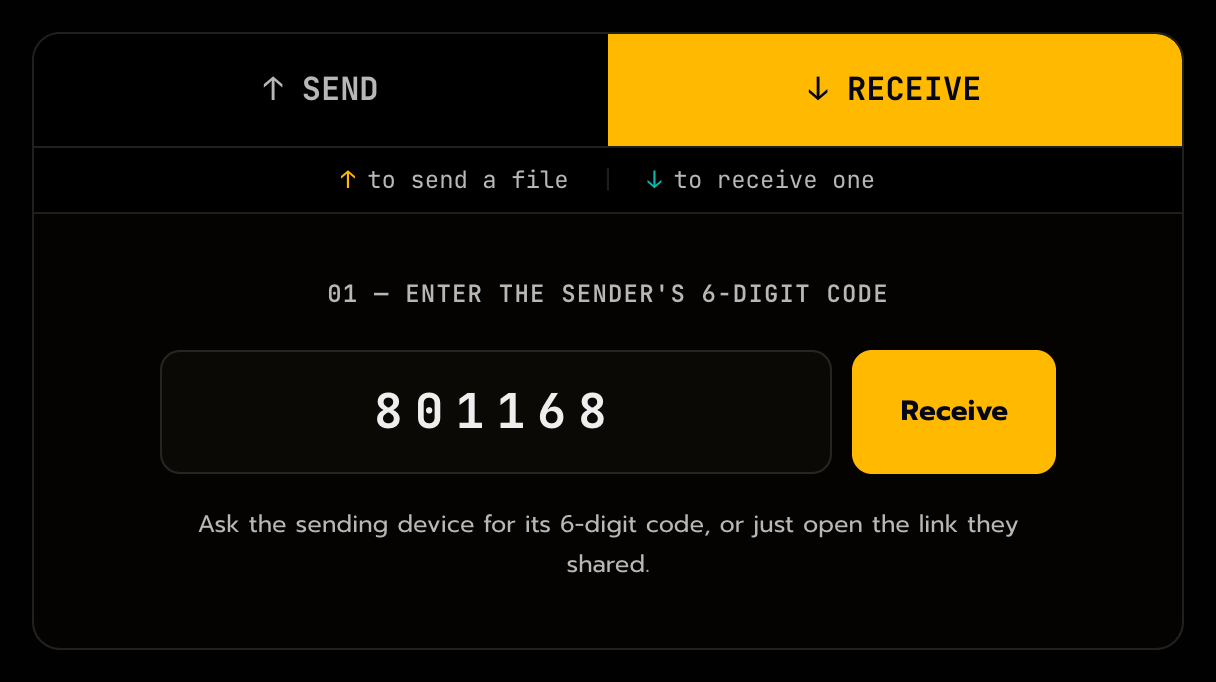
- Switch to the RECEIVE tab
- Type the 6-digit code you were given
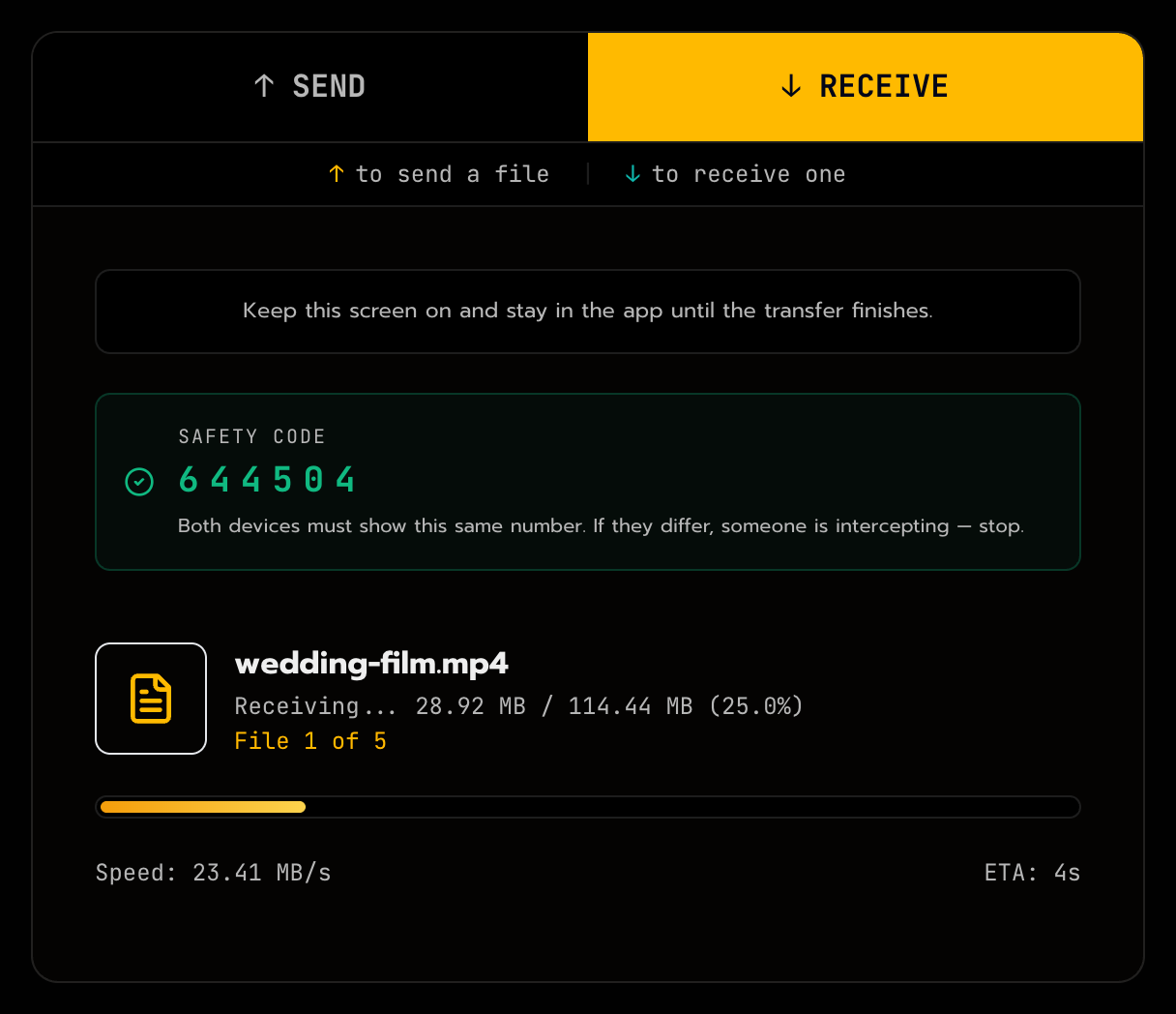
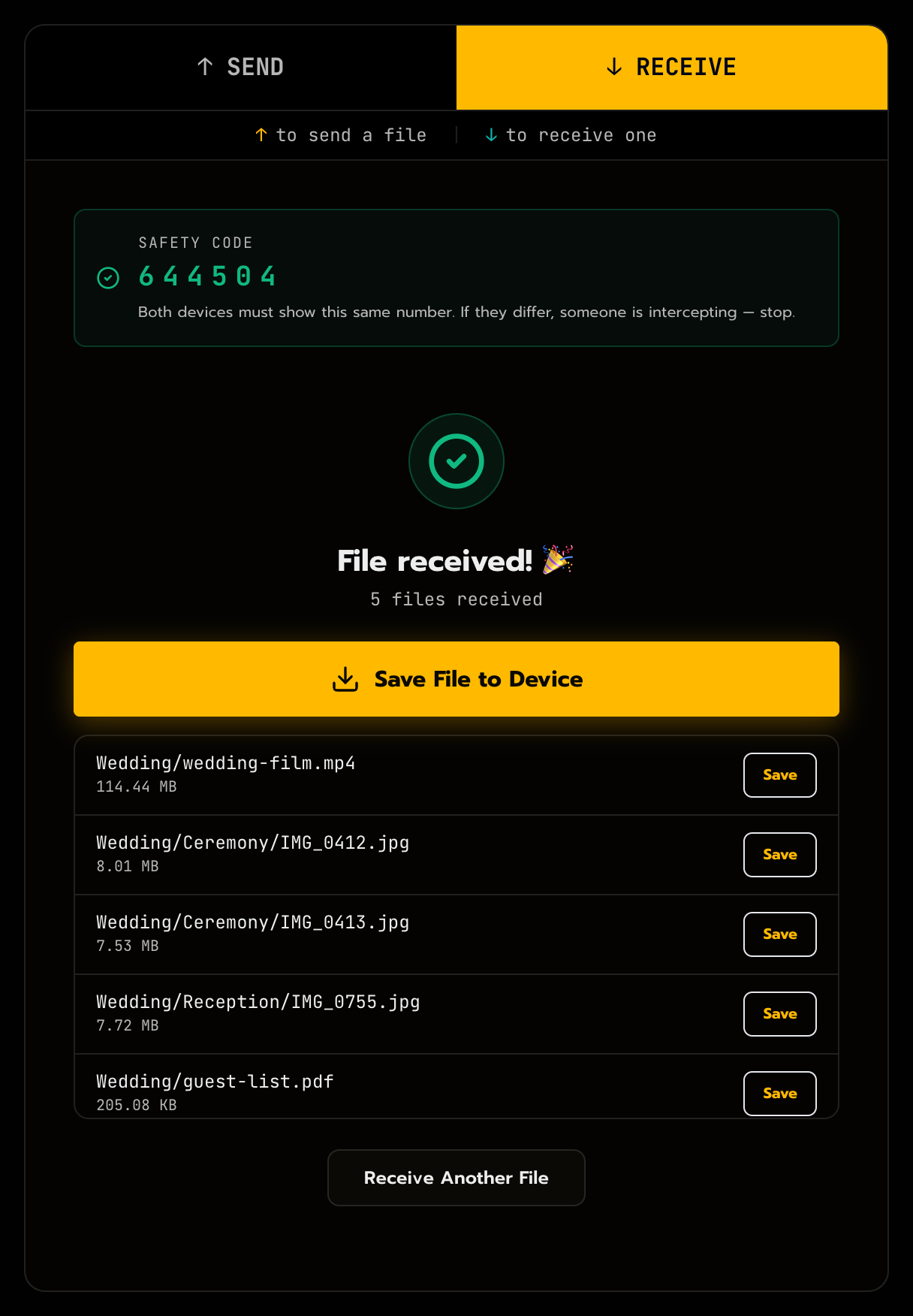
- Wait for the files, then hit Save
2The safety code — the one step to never skip
When the two devices connect, both screens show the same 6-digit number. Your job is to check that they match — over the phone, or by turning the screen around.
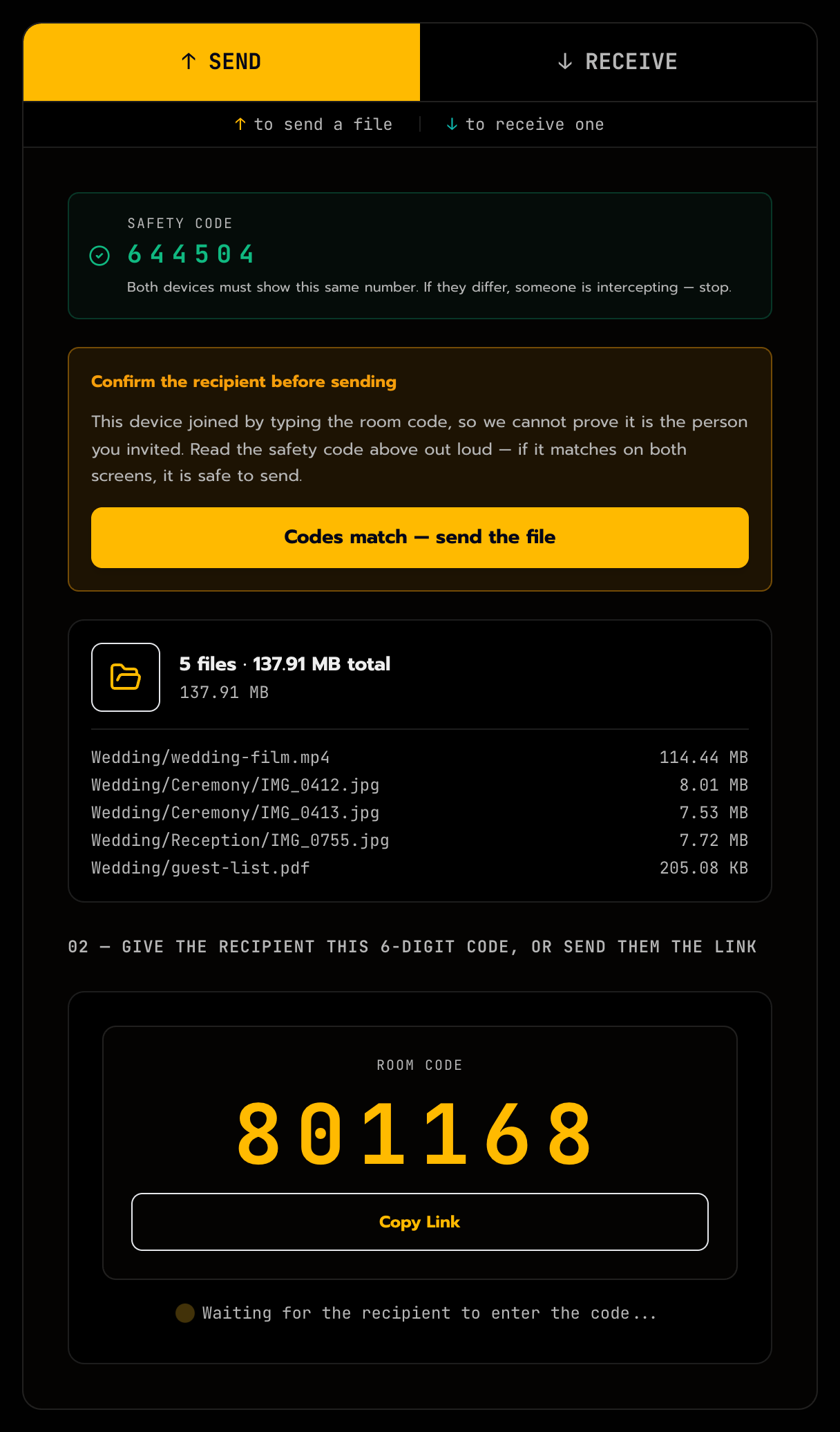
That number is derived from the secret key the two devices built together. Anyone sitting in the middle would hold a different key — so their number could never line up with yours.
If you joined by opening the link, this step is skipped for you: the link already proves who you are. If you joined by typing the 6-digit code, the sender is always made to confirm first.
3What it can do
- Any file type, never compressed, never re-encoded
- Many files at once, or a whole folder dragged in — nesting and structure survive
- Any size — the only limit is free space on the receiving device
- Works across platforms — Windows, Mac, iPhone, Android; a browser is all you need
- Encrypted end to end, filenames included
- If data is lost in flight, only the missing pieces are re-sent
- Installs to your home screen like an app
What it cannot do
- Leave files waiting for later pickup — both sides must have the page open at the same time
- Resume where it stopped — close the tab mid-transfer and it starts over
- Get through some heavily restricted networks (certain mobile carriers) — the same Wi-Fi is the surest route
4About security
| Question | Answer |
|---|---|
| Can the site owner see my files? | No — and not because of a promise not to look, but because it is not possible. Files travel straight from one device to the other and never pass through a server at all. |
| What does the server see? | The 6-digit room code and the technical handshake messages used to introduce the two devices. Not the files, not the filenames, not the sizes, not the key. |
| Could someone guess the 6-digit code and steal my files? | Very unlikely, and guessing right still gets them nothing: anyone who joins by typing a code cannot receive anything until the sender confirms. Measured for real, guessing runs at 0.8 tries per second — sweeping all million codes takes about 14 days, while a room only lives for minutes. |
| Is café Wi-Fi safe for this? | Yes. The data is encrypted twice over; anyone listening sees only ciphertext. |
| Do copies stay anywhere afterwards? | None on any server. Received files sit on the receiver's own device only, and are cleared when a new transfer starts or the page is closed. |
| Does the other person see my IP address? | Yes. Sending directly means both devices must know where to reach each other — this is true of every peer-to-peer system, video calls included. An IP roughly indicates your provider and region, not your name or address. Full detail on the privacy page. |
| What should I be most careful about? | The copied link contains the key. Send it only to the intended person, and for anything sensitive, always compare the 6-digit safety code. |
5Common questions
How is this different from WhatsApp or Google Drive?
Those upload your file to their servers first, then the other person downloads it — two waits, and a copy living on someone else's machine. Here the file goes straight across: one wait, no copy left behind. Chat apps also re-compress photos and video; this does not touch the file at all.
Do we have to be on the same Wi-Fi?
No, but if you are, it is both the fastest and the most reliable.
What is the largest file I can send?
As much free space as the receiving device has. That is checked before the transfer starts, so you are told immediately — not at 98%.
Why doesn't a 5 GB file freeze my browser?
Because it is written to disk continuously as it arrives, instead of being piled up in memory first.
Do I need to keep the screen on?
The site asks your device to stay awake automatically, but do not switch to another app for long mid-transfer, especially on a phone.
Is it really free? Any catch later?
Really free, and it can be because the server never stores anything. What makes file-hosting expensive is storage and bandwidth, and both are zero here.
It failed. What now?
Put both devices on the same Wi-Fi, keep both screens on, do not switch apps, and try again. If it still fails, send a photo of the red error message — it carries the details of where it broke, including the version number.